

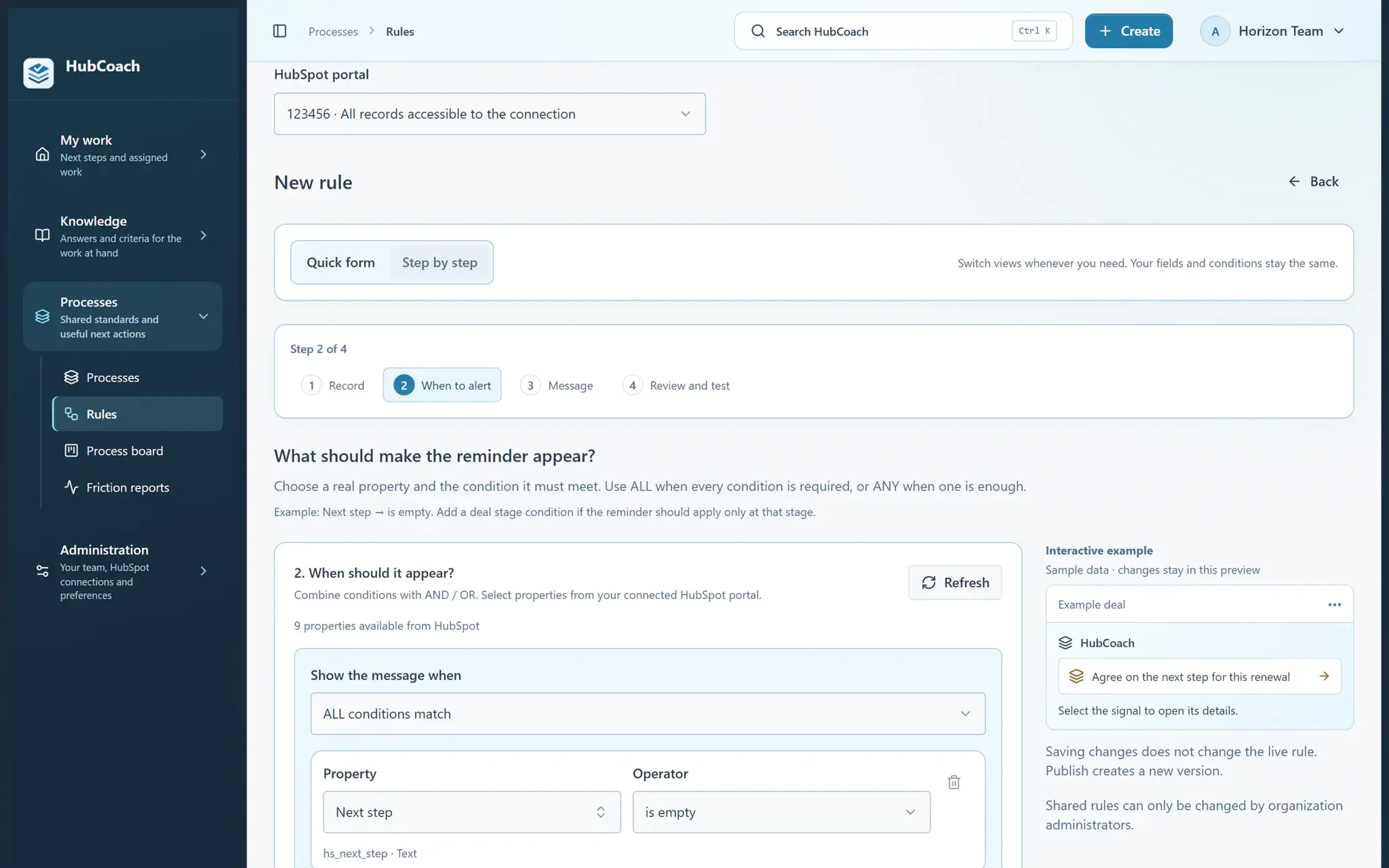
What are the steps?
- Use Create → A rule in the top bar, or open Processes → Rules and choose New rule. Select your portal.
- Choose Guided mode for questions and examples, or Quick mode to see the full editor. You can switch without losing your draft.
- Choose the records and the condition that should trigger the reminder. Start with one property and one condition.
- Write a short title and a helpful message. Explain what to do next; add formatted instructions or link a knowledge article when useful.
- Review who will see it. Try the rule on a record, save a draft to keep working, or publish when it is ready.
What does it look like in practice?
- Example
Next step is empty → “Agree on the next action” → explain that a useful next step includes an action, an owner and a date.
What should you keep in mind?
Personal rule or shared rule?
| Personal rule | Shared rule | |
|---|---|---|
| Who sees it | Only the person who created it | The audience and portal you choose |
| What it is for | Your own follow-up | A standard the team agreed on |
| Before publishing | Test it on one of your records | Test it with a small group |