

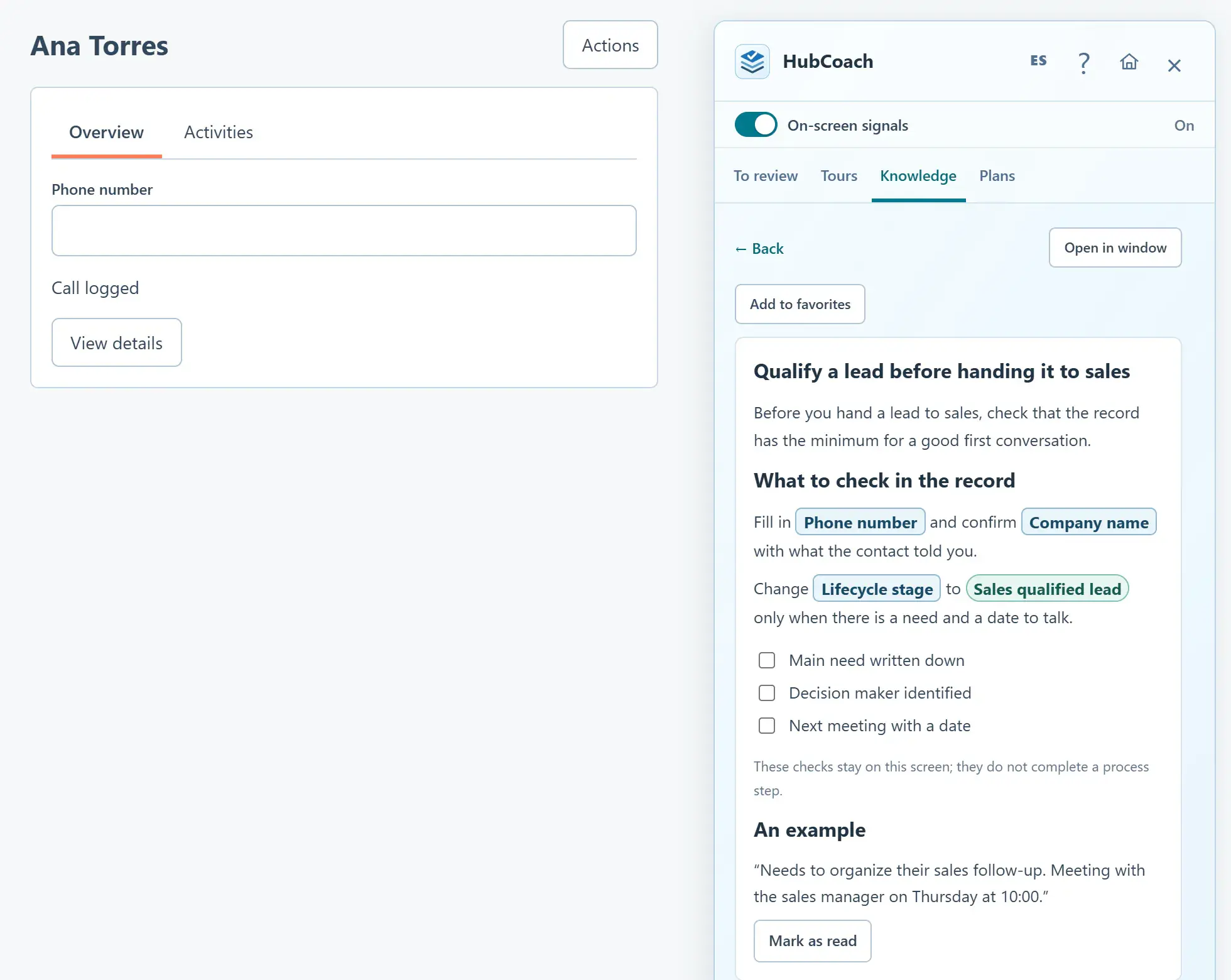
What are the steps?
- In Knowledge, create or edit an article and choose Insert HubSpot field in its rich editor.
- Select an enabled portal, record type and field. Choose Field name or A field choice, check the boxed preview, then insert the reference.
- Write when the person should select that choice, using your team’s agreed process. Repeat for each field or choice you need.
- Save a draft, review and publish. Publication verifies the references; unavailable metadata lets you save a draft and retry later.
- Open the published article in the Side Panel. Linked fields and choices appear as distinct boxed labels. Labels are checked on opening; a removed field or choice shows a review warning.
- If HubSpot labels change, an authorized editor can open the article in the web app and choose Refresh HubSpot labels. This also updates the saved text used by search.
What does it look like in practice?
- Example
In Purchase type, choose Spot for a one-time purchase, using the actual portal field and option.