

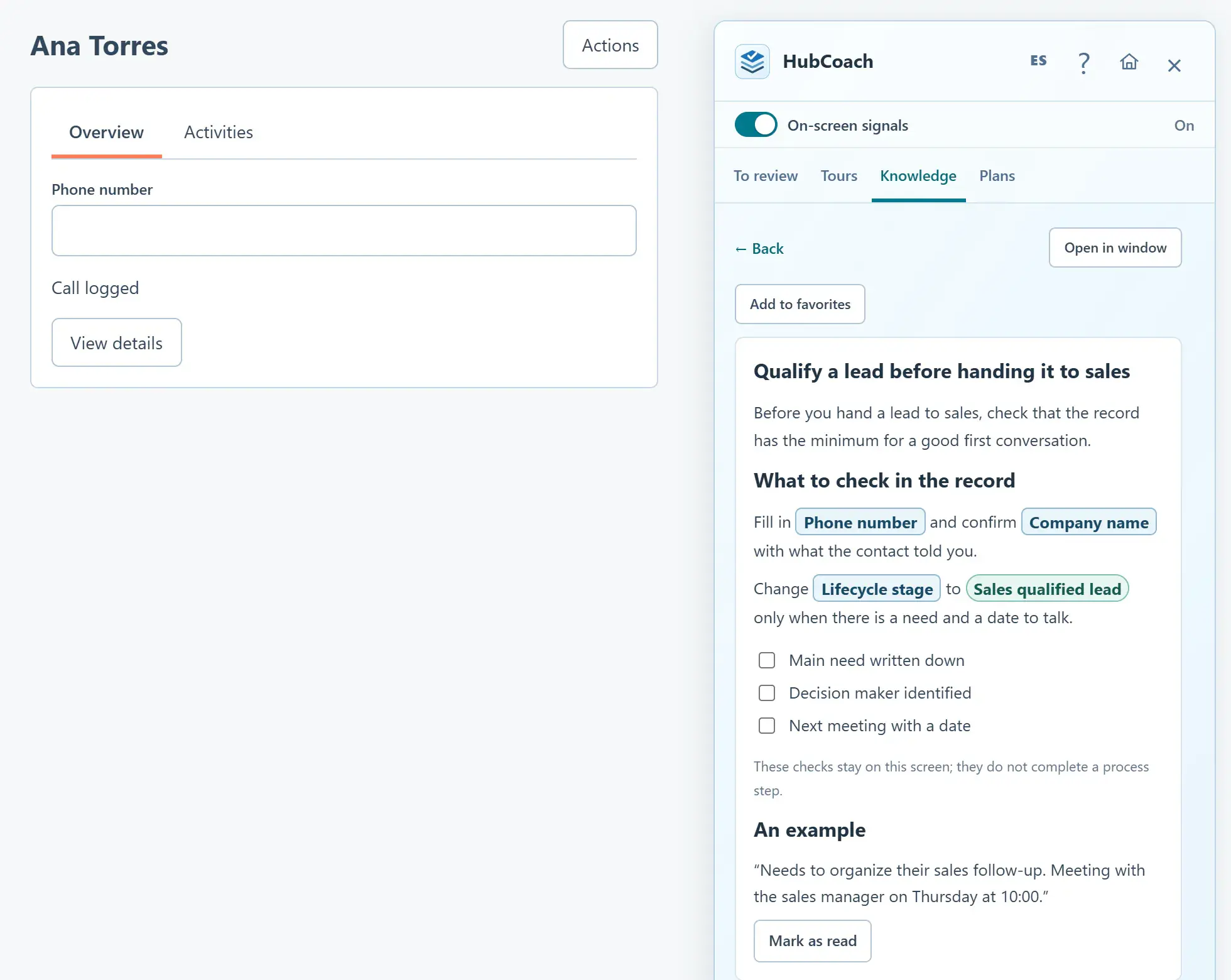
What is contextual enablement in HubSpot?
It is training inside the work: help appears next to the HubSpot record when the person has to decide, not only in a training session weeks earlier.
| Traditional training | Contextual enablement | |
|---|---|---|
| When | Before starting | At the moment of the decision |
| Where | A room, a video or a manual | Next to the HubSpot record |
| What it teaches | Where to click | Which option fits and why |
| How it is reviewed | Attendance or a quiz | A real execution, over time |
It does not replace the initial training: it continues it when new cases and process changes appear. It works the same for a team in Santiago, Chile, as for one spread across several Latin American countries.
Why do questions continue after training?
Knowing where to click is different from knowing which option fits a customer. A person may remember the screen and still be unsure whether a request qualifies as an opportunity, when to change stage or what the next team needs.
Repeated questions are useful for diagnosis. Ask for the situation behind the question and watch the work.
- Unclear criteria. Two people would answer differently with the same information.
- Conflicting instructions. The manual says one thing and the leader another.
- Missing permissions. The person knows what to do but cannot do it.
- Double entry. They already recorded the same thing in another system.
What makes a piece of guidance useful?
Keep one decision at the center. Say when the guidance applies, what to do, why it matters and what evidence to leave. Add a good example and a plausible exception, and keep more detail one click away without turning the instruction into a manual.
- Explains the interface
“Complete this property”.
- Explains the work
“Record the agreed action so a colleague can continue the conversation. Example: send the proposal on Thursday, owner: you.”
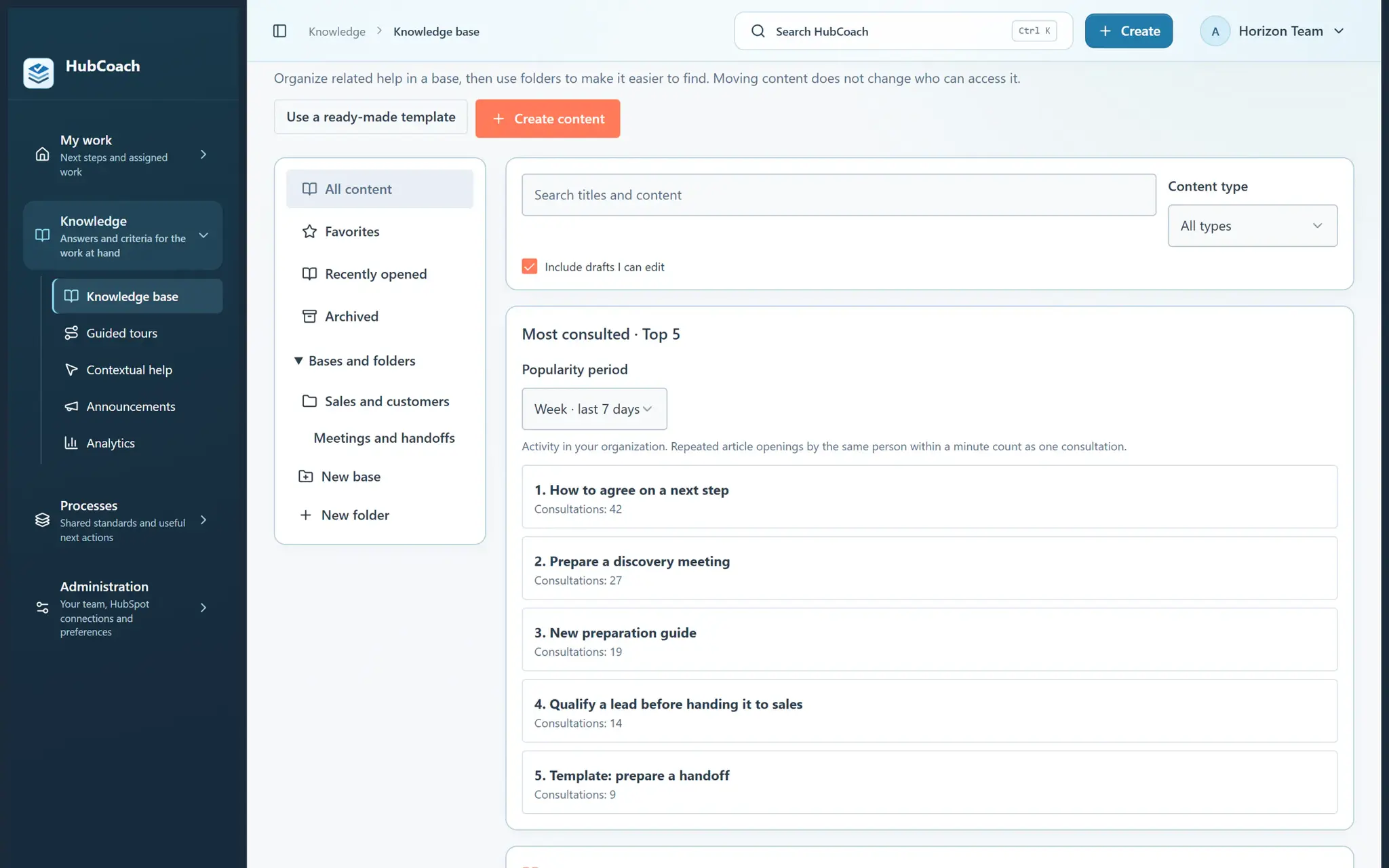
How should practice and feedback work?
- Choose one role and one frequent decisionOne that happens often enough to review.
- Work through a representative caseAnd talk about the reasoning, not just the result.
- Fix the guide if the example is confusingAn ambiguity you find is an improvement, not the person’s mistake.
- Review a real executionAnd come back to the same behavior later.
A completed reading, an exercise, a checked step and a well-handled CRM record are different levels of evidence. Do not use the first as a substitute for the last.
When does a tour fit, and when does an article?
| If the question is… | Use |
|---|---|
| Where something is done in the portal | A guided tour, step by step on the screen |
| Which option fits this customer | An article with a criterion, an example and an exception |
| What is missing on this record | A rule that shows the notice next to the record |
| Which steps a person must complete | An assigned action plan |
HubCoach guided tours show the way on each person’s screen; they do the real action.
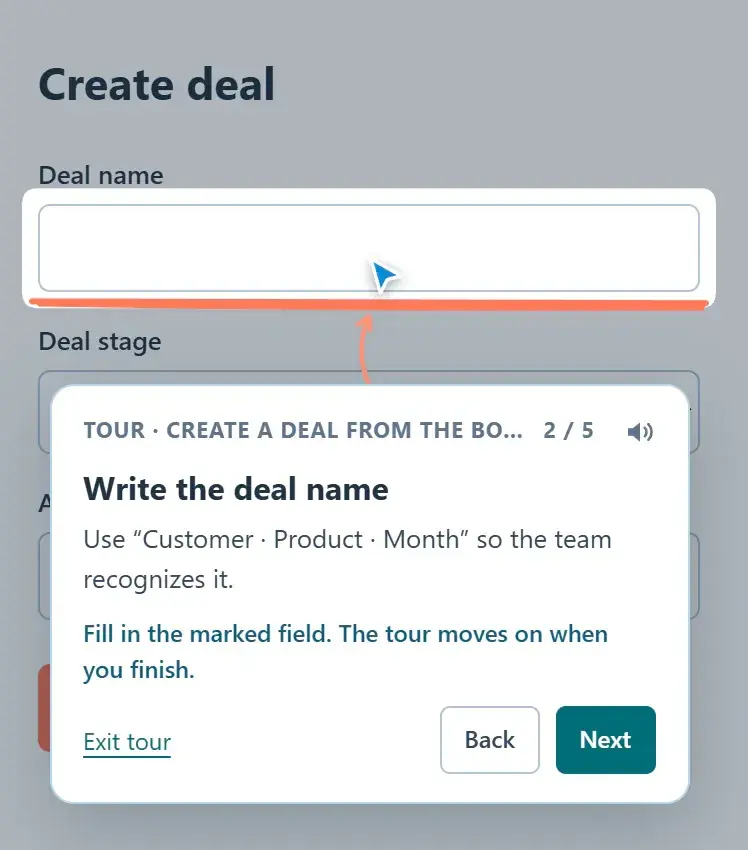
Where does HubCoach fit?
With HubCoach, a Revenue Hub Latam product, knowledge cards and guides are available in the Side Panel, next to the record. Contextual help sits beside the field where it is supported. A rule fits when the condition can be checked with CRM data; a plan, when a person needs assigned steps.
What should you review this week?
- Choose one role and one real decision.
- Observe whether the obstacle is knowledge, judgment or working conditions.
- Write a short criterion, a useful example and an exception.
- Practice, review a real case and look at the behavior again later.
- Update the guide when recurring friction shows it needs to change.