

What are the steps?
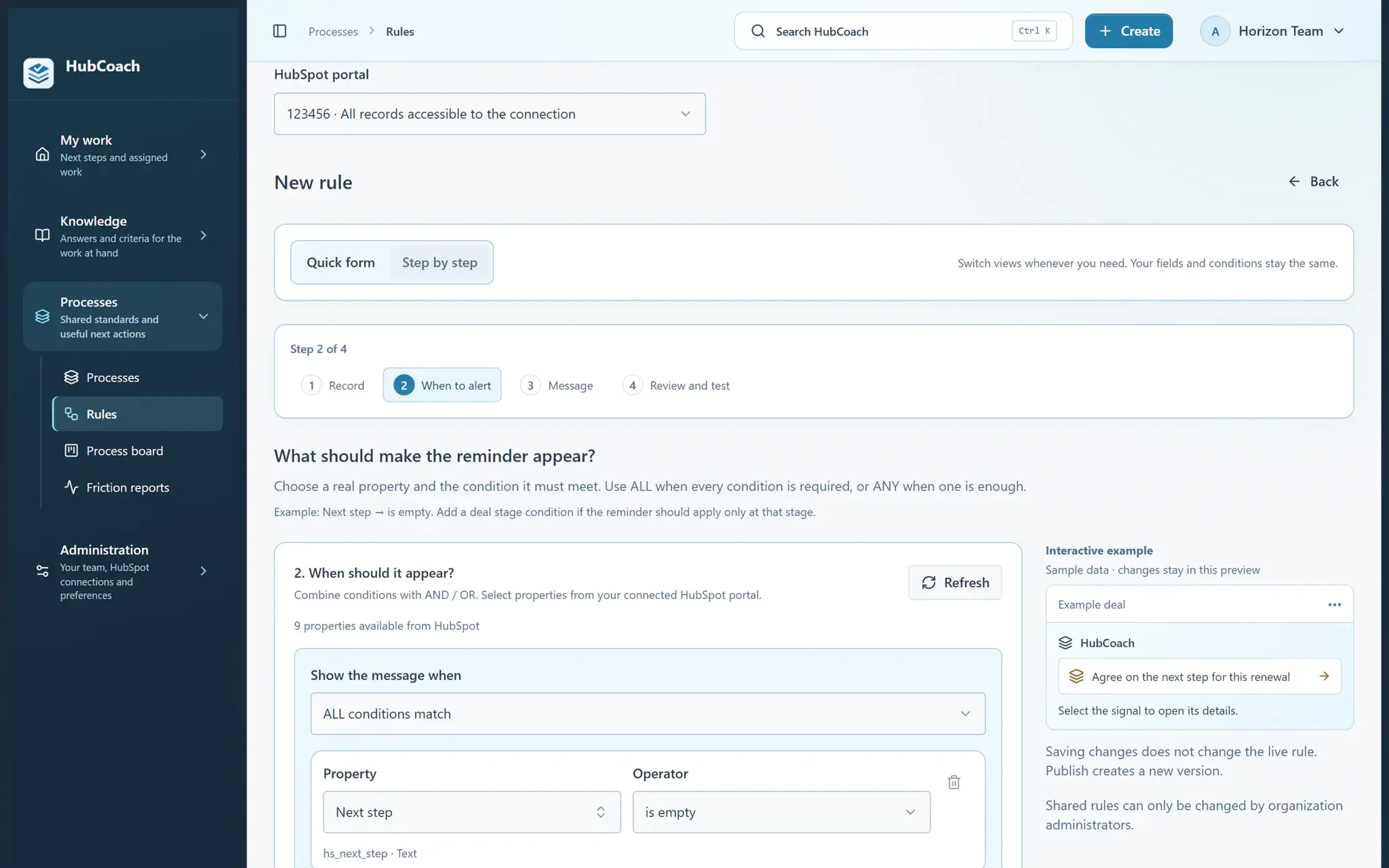
- Open Rules, choose your HubSpot portal and select New rule → Guided.
- Choose Deals. Find the Next step property in the real field list and select is empty.
- Use a short title such as “Agree on the next step”. Explain the action, owner and date you expect.
- Choose who should see the rule, test it on a deal you can access and review its evidence.
- Save a draft to keep working or publish it. Open the same deal in HubSpot to see the notice.
What does it look like in practice?
- Example
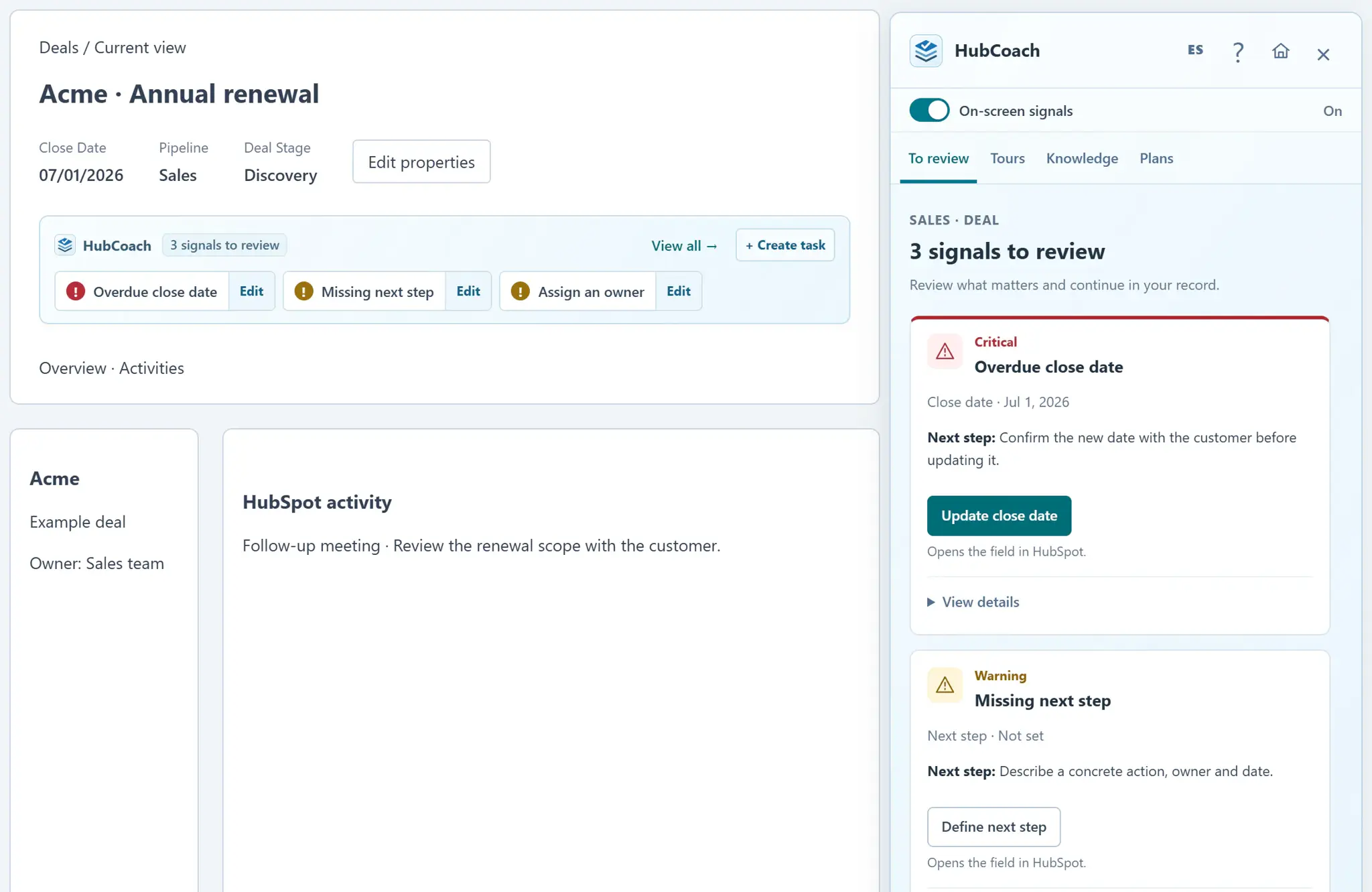
An empty Next step produces a reminder. Once a valid next step is saved in HubSpot, the next evaluation no longer matches.
What should you keep in mind?
How do you write a notice that helps?
The title says what to do and the message explains why it matters. Compare two versions of the same notice:
- Good
Agree on the next step. Write the action, who does it and by when, so someone else can continue the deal.
- Could be better
Required field. Fill in the next step.