

Practical guide · Forecast and pipeline

Overdue close date in HubSpot: what to do with each deal for teams in Chile and Latin America

An overdue close date in HubSpot is an open deal whose Close date has already passed. Before moving it, confirm with the customer what changed, decide whether the deal is still alive and record a next step with a date. If there is no evidence of progress, close it as lost with its reason. Moving the date without that conversation only carries the problem into the next forecast.

  • 5 min read
  • Updated October 4, 2026
  • With examples
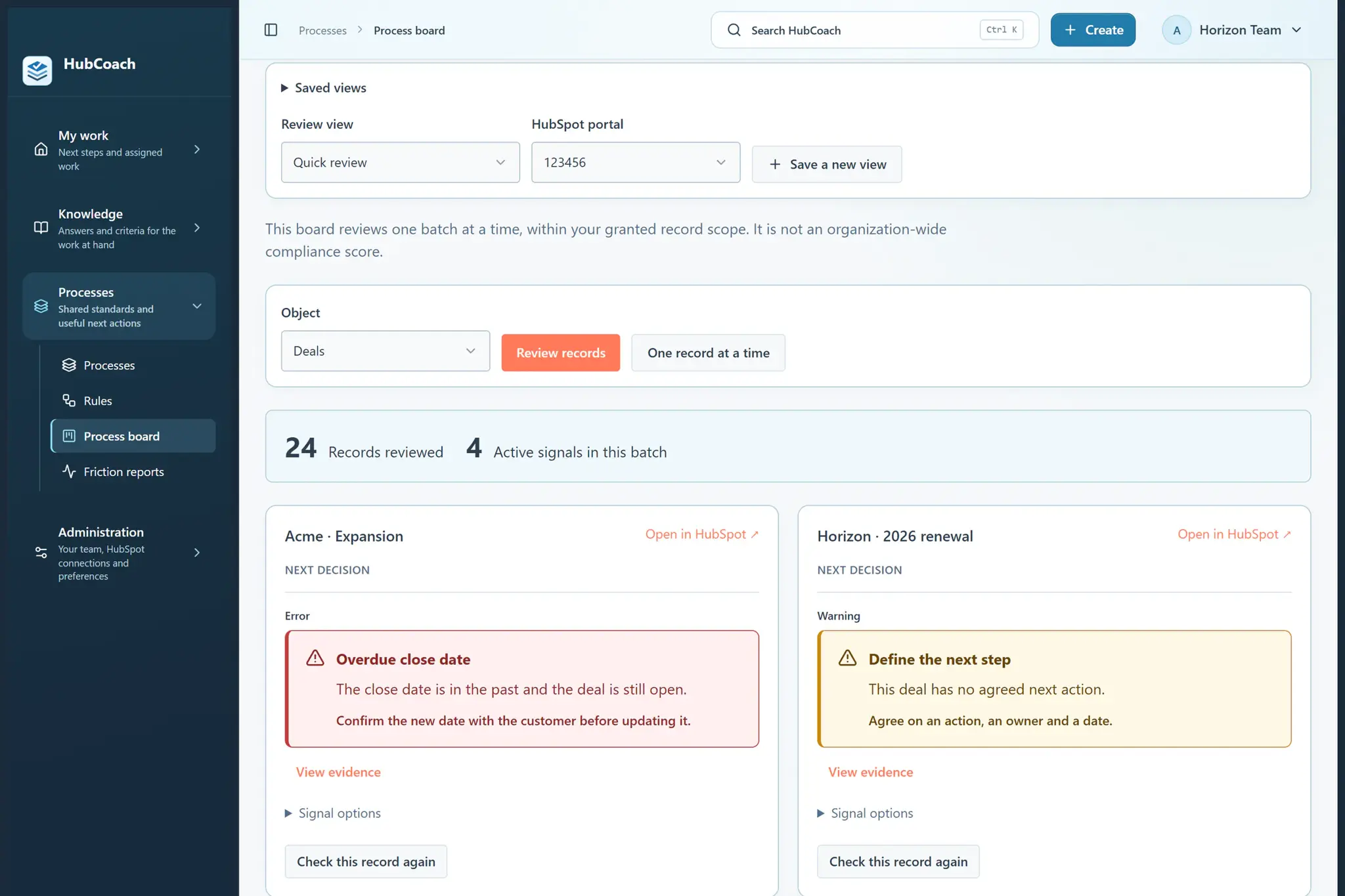
Process board with a review view: records reviewed, active signals and the next decision for each deal
Overdue close dateAt a glance
What it is
An open deal with a Close date in the past
Where to see it
A saved view in CRM > Deals
Before moving it
Last conversation, next step and evidence
Outcomes
Keep with evidence, move back a stage or close as lost
A sales team's process board, with sample data.

What is an overdue close date in HubSpot?

Close date is a default HubSpot deal property: the day the deal is expected to close, or the day it closed. When a deal is still open and that date is in the past, the expectation no longer matches reality.

HubSpot does not move the date or close the deal on its own. And forecasts and many reports group deals by close date: an overdue deal can fall out of the period or be counted where it no longer belongs. Before trusting the forecast, review them one by one.

How do you find deals with an overdue close date?

  1. Open Advanced filtersIn CRM > Deals, use Add filter with the Close date property and the condition is before Today.
  2. Leave out closed dealsAdd a Deal stage filter without the closed won and closed lost stages.
  3. Save the viewSo the team reviews the same list every week.

In the forecast tool (Sales > Forecast) you can also filter by close date and read each deal’s next step. What matters is that the list is the same for everyone. If numbers differ between reports, see when HubSpot reports do not add up.

What should you check before moving the date?

  • When was the last real conversation? Last activity date helps, but read what was said.
  • Is there a next step agreed with the customer? If not, the new date has nothing behind it.
  • Has the date moved several times already? That signals a pending decision.
  • What evidence supports a new date? A confirmed meeting, a budget in approval or a tender with a calendar.
Three honest outcomes for a deal with an overdue date
If…Then
There is evidence of progressKeep the deal with a new date and a next step that are backed up.
The customer went back to evaluatingKeep it, but move it back to an earlier stage.
There is no conversation and no next stepClose it as lost and fill in Closed lost reason.

How do you review it with your team without chasing updates?

Make the overdue-date view a fixed part of the weekly pipeline meeting. The manager does not ask for a new date: they ask what changed and what evidence there is. The rep arrives having reviewed their deals, so the meeting is used to decide. It is a short routine that works the same for a team in Chile as for one spread across Latin America.

  • Useful question

    “What changed since you last spoke with the customer?”

  • Unhelpful question

    “When do we move it to?”

Keep track of exceptions, such as the public tenders with long calendars that are common in Chile and Latin America. If the same deals appear every week, the problem is not the date but a decision nobody has made: keep or close.

What can HubCoach do with close dates?

HubCoach, a Revenue Hub Latam product, includes checks for an open deal whose close date has passed, a close date within seven days with no next activity and a date postponed at least twice in 30 days. They start on, and your administrator can switch them off by check, category or portal.
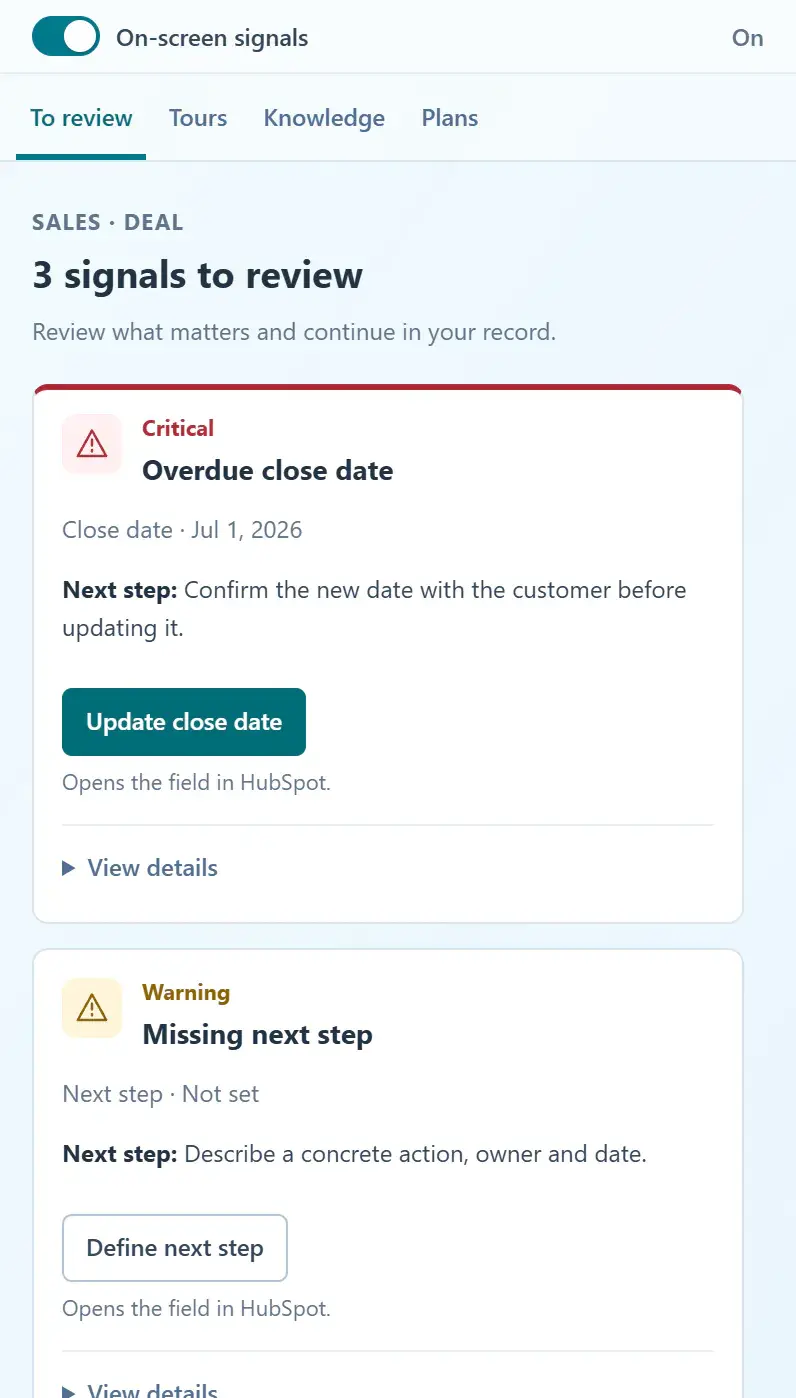
HubCoach Side Panel on the To review tab: three signals for the deal, each with the next step and a button that opens the field in HubSpot
Side Panel with a deal's signals, with sample data.

The signal appears on the deal, and the Side Panel explains what to review and opens the native editor. The details are in Understand a red close date.

What should you review this week?

  • Save a view of open deals with a Close date before today.
  • Read the last real conversation before touching the date.
  • Decide: keep with evidence, move back a stage or close as lost.
  • Record a next step with a date for every deal you keep.
  • Fill in Closed lost reason for every deal you close.
Frequently asked questions

What else do teams ask about overdue close dates?

Does HubSpot close a deal when its close date passes?

No. The deal stays open in the same stage until someone moves it. That is why it is worth reviewing open deals with a past close date every week.

Should I just move the close date to next month?

Only if the customer confirmed something that supports the new date. Moving it without evidence keeps the deal in the forecast without telling anyone why.

When should an overdue deal be closed as lost?

When there is no recent conversation, no agreed next step and no evidence the customer will decide. Close it and record Closed lost reason; you can create a new deal if the conversation comes back.

Does HubCoach change the close date?

No. It shows the signal and the criterion next to the deal and opens the native editor. The person confirms with the customer and saves the change in HubSpot.

Who should review overdue close dates?

The deal owner reviews their own before the weekly meeting, and the sales manager decides the doubtful cases with them. RevOps maintains the saved views and the rules.

How do I find deals with an overdue close date?

In CRM > Deals, use Advanced filters > Add filter with a Close date before today and leave out the closed won and closed lost stages. Save the view and review it before the weekly meeting.

What should I do with a deal that depends on a public tender?

Keep it open with the award date the agency publishes and a next step tied to that calendar. In Chile and Latin America many tenders take weeks: record the exception so the deal is not flagged every week.

A Revenue Hub Latam product

Who is behind HubCoach?

HubCoach is a Revenue Hub Latam product. It grew out of what we solve when we implement and run HubSpot with sales and service teams in Chile and Latin America.

  • Criteria that fade after the training ends.
  • Next steps nobody else can pick up.
  • Handoffs that make the customer repeat their story.
HubSpot Solutions Partner Platinum
HubSpot Platinum Partner in Santiago, ChileWe implement, rescue and run HubSpot for B2B companies.
HubSpot Partner Summit LATAM 2026From the Revenue Hub Latam team that created PortalSync: most-voted pitch, Pitch Contest · HubSpot Partner Summit LATAM 2026, Bogotá.
Waitlist

Want HubCoach to bring this to every record?

HubCoach shows your team’s criteria next to the HubSpot record where the decision happens, in Spanish or English, for teams in Chile and Latin America.

  1. You apply with your work email and how many people would use it.
  2. We review the list every 15 days and write to you when there is a seat.
  3. You start with a small group and one concrete process.
Overdue close date in HubSpot | Revenue Hub Latam