

What is sales coaching in HubSpot?
It is a short conversation between a leader and one person on the team about a specific deal. It does not try to review the whole pipeline, but to help make one decision the person cannot unblock alone. It works the same for a small team in Chile as for one spread across Latin America.
It happens on the HubSpot record, not on a summary prepared for the meeting. That way what is agreed stays where the rest of the team can read it.
| Sales coaching | Pipeline review | |
|---|---|---|
| Scope | One deal and one decision | Every open deal |
| Question | What is stopping you? | How is each deal going? |
| Outcome | An agreed next step | An updated forecast |
What should be ready before the review?
- Choose the deal and the decisionThe one the rep needs help to make.
- Review the customer’s last commitmentThe recorded next step and the relevant date.
- Separate confirmed from assumedWhat the person knows about the customer and what is still unknown.
- Leave the context in the CRMSo the meeting focuses on deciding, not catching up.
A short plan can assign preparation, the joint review and the follow-through to the same person. The leader agrees on the expected result; there is no need to assign a different person to every step or create a second record of customer information.
How do you tell a filled field from a useful next step?
“Follow up” may pass an empty-value check and still leave a colleague unable to continue. A useful next step names the action, the owner and the timing or condition, and reflects a real agreement with the customer.
- Good
“Send the revised scope on Thursday and confirm who will join the review”.
- Could be better
“Follow up”, with a made-up date so the notice goes away.
Which questions should you ask during the review?
- What did the customer agree to last time? What they said, not what we hope they will do.
- What is stopping the next step? Information, access, an approval or a question of criteria.
- What would you do if it were your only deal? It helps separate urgency from importance.
- When do we look at it again? Every review ends with a date to revisit.

What if the instruction does not fit?
Ask what the obstacle is before prescribing more training. Coaching helps when the person needs practice or judgment; it does not repair every structural problem.
| Obstacle | What to do |
|---|---|
| Unclear criterion | Adjust the guide with an example and an exception. |
| Missing information | Agree on who gets it and when. |
| Missing access or permissions | Ask the administrator to review it. |
| Integration or double entry | It is a process problem: fix it in HubSpot, not in the person. |
Record the exception in the friction reports and review the rule or guide with its owner. A property that could not be read is not an empty value or a personal failure.
How does HubCoach support this routine?
In the web app of HubCoach, a Revenue Hub Latam product, you prepare cards, guides and assigned plans. The coaching templates bring criteria, useful examples, exceptions and review questions. Adapt them before publishing or assigning them.
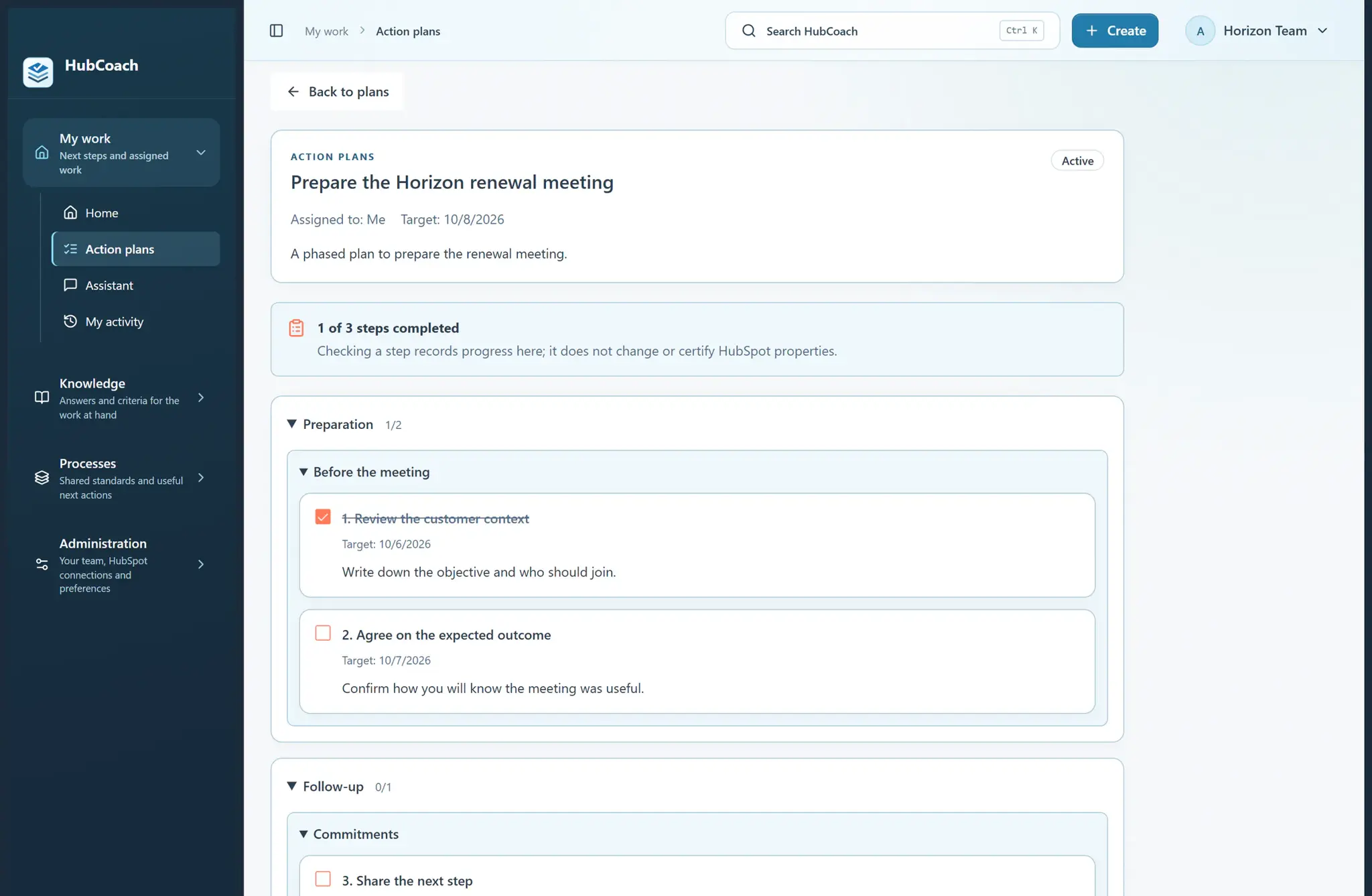
In the Chrome extension, To review shows the signals and the person’s active plans linked to that record. A pending step opens the assigned plan and a related guide explains how to continue. The rep still reviews and saves the changes in HubSpot.
How do you know the coaching worked?
Completing a plan shows progress on the assigned steps, not that the person has mastered the criterion. The proof is in the next deal.
- The person applies the criterion on another real case, without help.
- They recognize an exception and know what to do with it.
- Someone else could continue their deal from the recorded next step.
What should you review this week?
- Choose one record and one decision.
- Agree on the criterion and one exception.
- Prepare the confirmed information and the open questions.
- Review the real work together.
- Record the next action in HubSpot and revisit any open friction.