Use case · Customer service

Customer service with HubCoach: guided tickets and SLAs inside HubSpot in Chile and Latin America

With HubCoach, a Revenue Hub Latam product, the person working a ticket sees next to the HubSpot record whether the reply SLA is about to expire, whether the ticket was reopened again or whether the resolution is missing. The Side Panel suggests your team’s articles that match the case, and the person replies and closes in HubSpot, as always.

  • For service agents
  • For service leaders
  • For RevOps
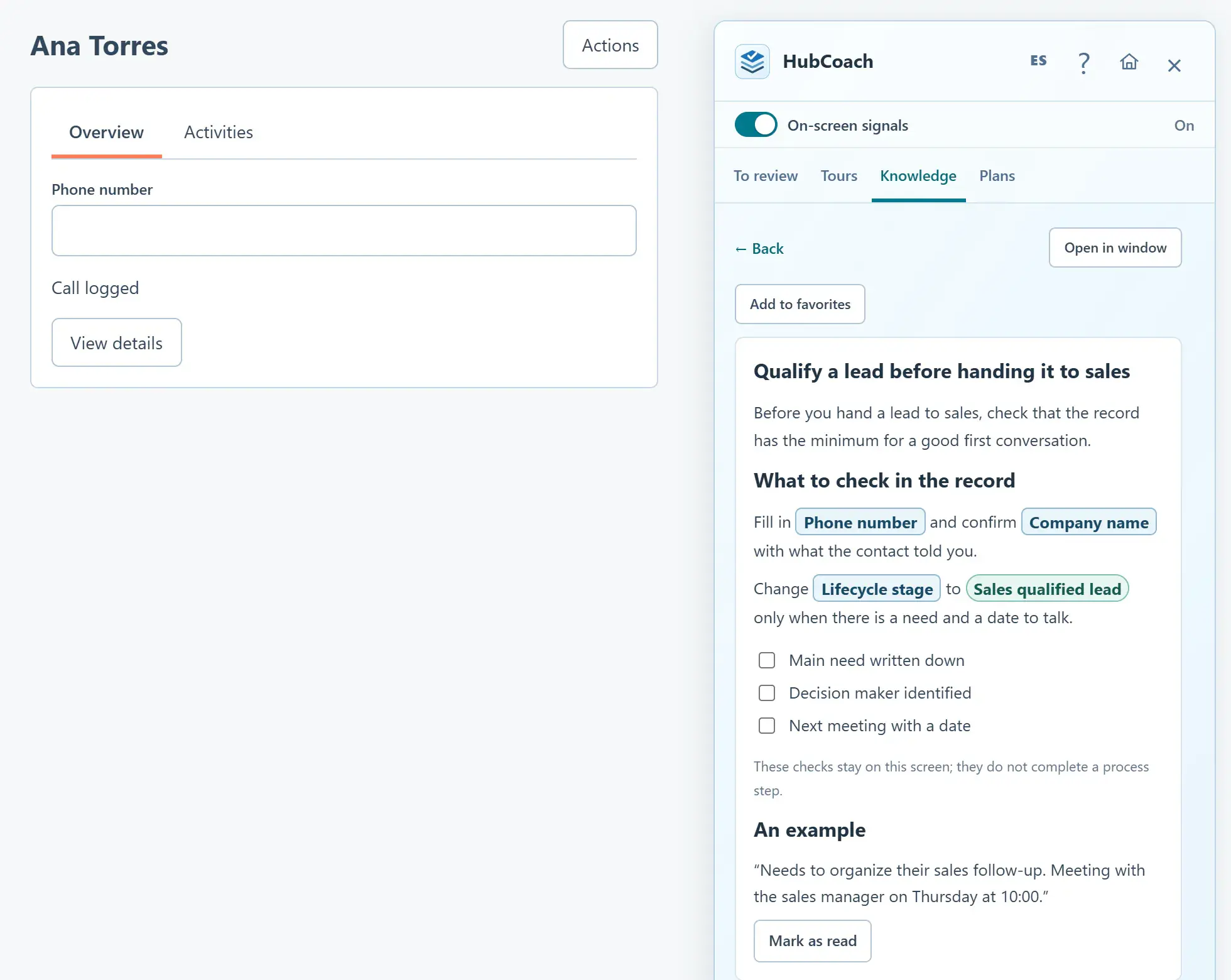
A Knowledge article open in the Side Panel next to a contact: real HubSpot fields such as Phone number and Lifecycle stage appear in boxes
Customer serviceAt a glance
Problem
The SLA expires and the leader finds out in the weekly report
Standard
SLA, owner, last message and resolution
How to measure
A sample of tickets from the pilot
Limit
It reads HubSpot’s SLA; it does not compute its own
An article with real HubSpot fields next to the record, with sample data.
The problem

What problem does it solve?

The team works the ticket queue, but the person on a case does not always see what matters in time. We see it in support teams across Chile and Latin America.

  • The reply SLA is about to expire and nobody notices until it does.

  • The ticket was reopened for the third time and is handled as if it were new.

  • It was closed without a recorded resolution, so the next case starts from zero too.

The standard

What standard does the team agree on?

Agree on what each person checks when opening a ticket: the SLA HubSpot reports, the owner, the customer’s last message and the resolution before closing. Define who escalates, when and with which article.

  • Good

    Reply SLA in 2 hours: reply first and record the commitment to the customer on the ticket.

  • Good

    Ticket reopened twice: review the previous resolution before replying and escalate if it happens again.

  • Could be better

    Closing the ticket as “resolved” without saying what was done.

  • Could be better

    Pausing the SLA with no reminder and forgetting the case.

In HubSpot

What does it look like inside HubSpot?

The ticket checks and the support templates work on your portal’s real fields.

Automatic signals

Ticket checks you decide on

SLA overdue or due soon, ticket without an owner, reopened repeatedly or closed without a resolution. You switch off the ones that do not apply.

  • By organization or by connected portal.
  • The SLA state is the one HubSpot reports.
Manage the automatic signals
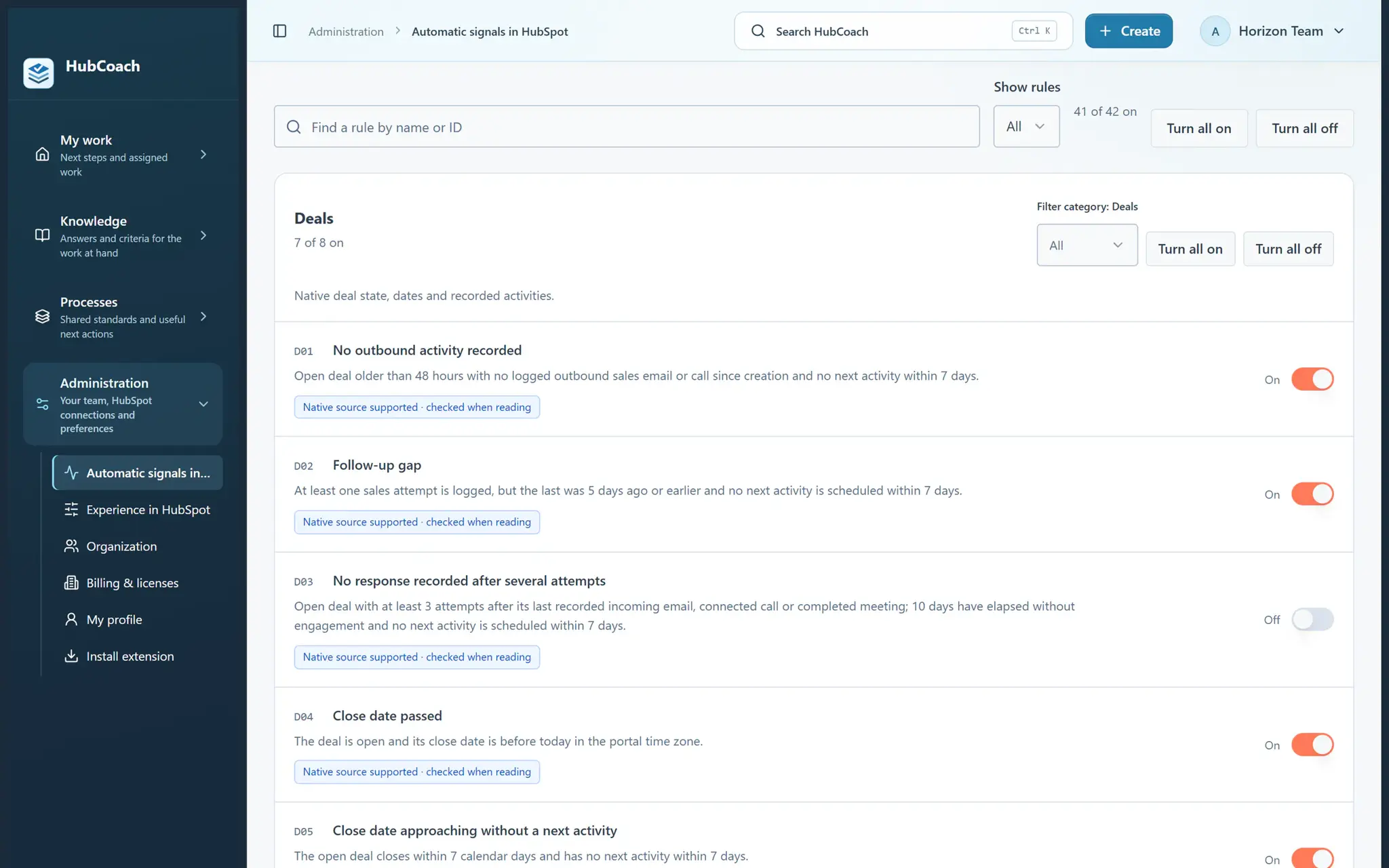
Automatic deal checks with their switches: one was switched off by the organization
The organization decides which checks stay on, with sample data.
Processes

Support templates for your portal

They link status, owner, priority and SLA to your real fields, with short diagnosis and escalation steps.

  • You adapt them before publishing.
  • They do not create HubSpot workflows.
Useful reminders for Customer Service
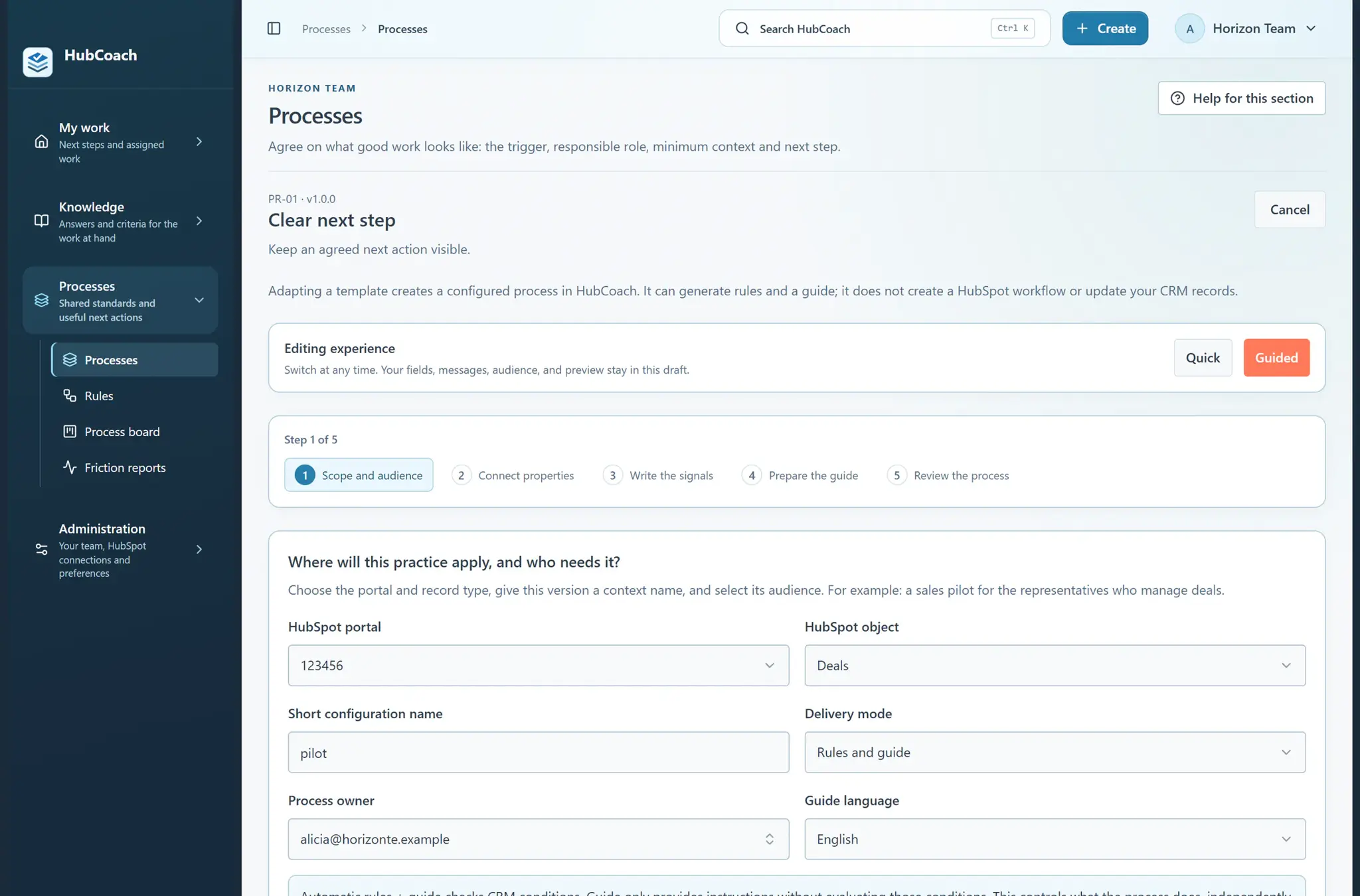
The Clear next step process template in guided mode: five steps, from scope and audience to reviewing the process, without creating HubSpot workflows
A process template ready to adapt, with sample data.
Getting started

How do you put it in place?

Start with the tickets that hurt your customers most.

  1. 01

    Review the ticket checks

    Reply and resolution SLA, paused SLA, no owner, reopened and closed without a resolution. Switch off the ones that do not apply.

  2. 02

    Adapt the Support templates

    In Processes, with your portal’s real fields and short escalation steps.

  3. 03

    Publish your service articles

    On an open ticket, the Side Panel suggests the ones that match the subject and description.

  4. 04

    Review a sample with the team

    Before extending the pilot to the whole queue.

Measuring

How do you know it is working?

Review a sample of pilot tickets with the service leader.

  • Did the person act before the SLA expired?
  • Did they record a resolution when closing?
  • Did they find the right article for the case?
Track exceptions separately, such as tickets paused on purpose. These are questions for a team review, not a product score.
Limits

What does HubCoach not solve?

HubCoach supports the agent; the SLA and the reply stay in HubSpot.

  • It reads the SLA state HubSpot reports; it does not run its own business-hours clock.
  • Article suggestions match keywords, not the whole conversation.
  • Replying and closing the ticket is done by the person, in HubSpot.
Roles

Who takes part?

Everyone on the support team knows what to look at when a ticket opens, whether they work in Chile or elsewhere in Latin America.

  • The agent reviews the notice, reads the article and replies.
  • The service leader decides which checks stay on.
  • RevOps adapts the templates to the portal’s fields.
A person wearing a headset takes a call beside a laptop.
Keep reading

Which guides and articles help with this use case?

The handoff guide covers what service needs to receive from sales; the articles show how to set up ticket notices.

Guides for this use caseHelp articles
A Revenue Hub Latam product

Who is behind HubCoach?

HubCoach is a Revenue Hub Latam product. It grew out of what we solve when we implement and run HubSpot with sales and service teams in Chile and Latin America.

  • Criteria that fade after the training ends.
  • Next steps nobody else can pick up.
  • Handoffs that make the customer repeat their story.
HubSpot Solutions Partner Platinum
HubSpot Platinum Partner in Santiago, ChileWe implement, rescue and run HubSpot for B2B companies.
HubSpot Partner Summit LATAM 2026From the Revenue Hub Latam team that created PortalSync: most-voted pitch, Pitch Contest · HubSpot Partner Summit LATAM 2026, Bogotá.
Frequently asked questions

What do teams ask before using HubCoach?

Does HubCoach replace HubSpot SLAs?

No. HubCoach reads the SLA state that HubSpot reports and shows it next to the ticket with your team’s instructions. SLAs are configured in HubSpot.

Does HubCoach reply to customers or close tickets?

No. It suggests articles and shows notices; the person replies, records the resolution and closes the ticket in HubSpot.

Can I switch off the ticket checks I do not use?

Yes. An administrator can switch off each check, a whole category or the library, for the organization or for one portal.

How does HubCoach choose which article to suggest?

It compares the words in the ticket’s subject and description with your published articles. That is why it helps to title them the way customers ask.

Do I need Service Hub for this use case?

Tickets are available in every HubSpot account. Ticket SLAs require Service Hub Professional or Enterprise. Without SLAs set up, HubCoach still checks the owner, messages awaiting a reply, paused tickets with no reminder, reopenings and tickets closed without a resolution.

Does it work for support teams in several countries?

Yes. The extension and the app are in Spanish and English, and each connected portal can have its own exceptions. We built it for teams in Chile and Latin America.

Waitlist

How do I apply to the waitlist?

Current seats are full. Tell us about your team, in Chile or elsewhere in Latin America, and what you would like it to do better in HubSpot.

  1. You apply with your work email and how many people would use it.
  2. We review the list every 15 days and write to you when there is a seat.
  3. You start with a small group and one concrete process.
Customer service with HubCoach | Revenue Hub Latam