

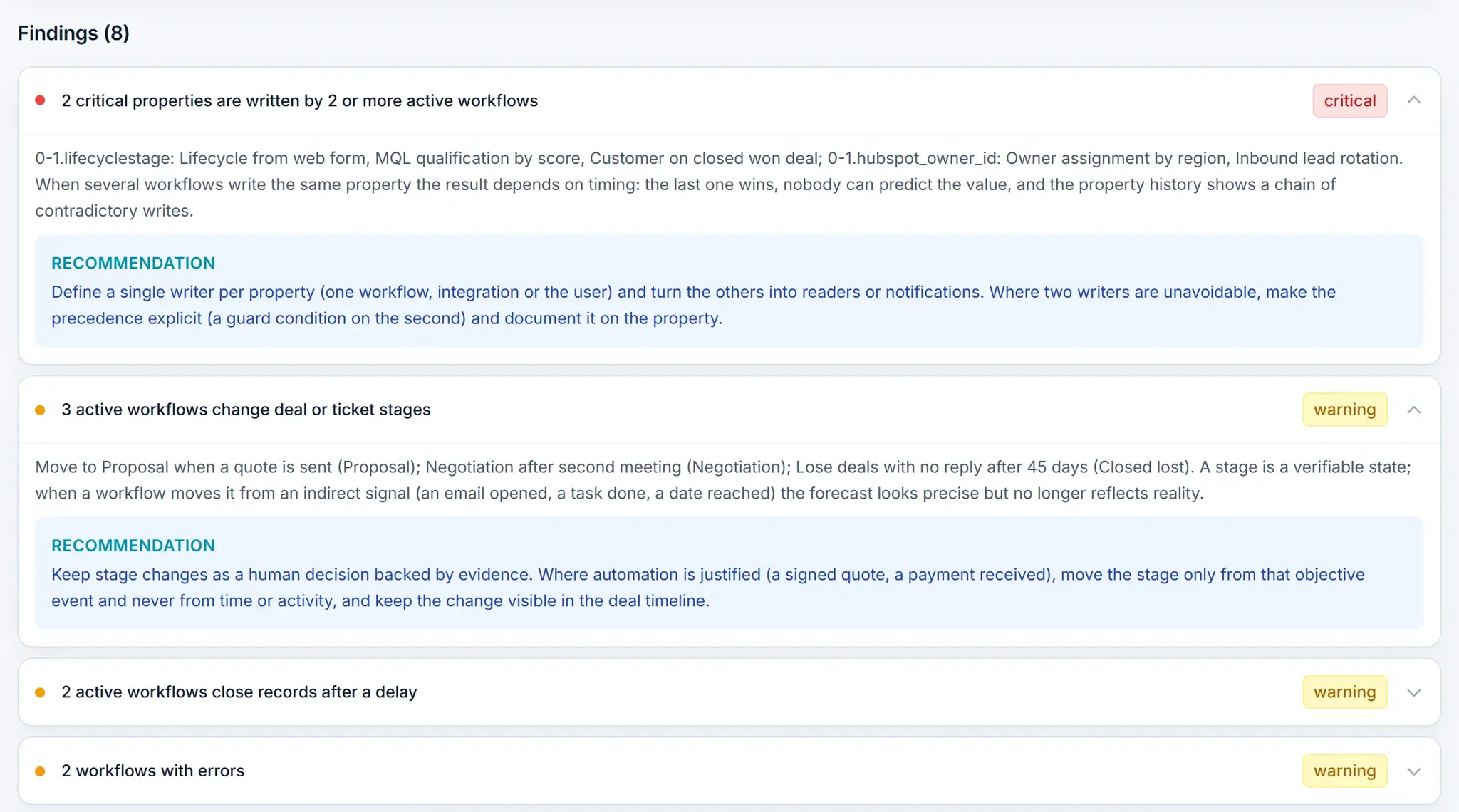

Why do workflows become a risk over time?
Workflows pile up: one per campaign, one per process change, one per person who needed something “just this once”.
They stay active long after their purpose is gone, and nobody owns them anymore. Unlike a broken report, a broken workflow keeps acting on your records.
How do you find workflows with errors?
Review the action history of each active workflow and look for recurring failures: emails to unsubscribed contacts, properties that were renamed, associations to records that no longer exist.
What is a forgotten workflow and what should you do with it?
An active workflow with no enrollments for months. It looks harmless until a record meets its criteria and gets an outdated email or the wrong owner.
Identify its owner, confirm what it was for, turn it off and document the decision. The guide to forgotten workflows explains how to build that inventory.
What happens when two workflows write the same property?
The last one to run wins, and the result depends on timing. It happens most with the owner and the lifecycle stage.
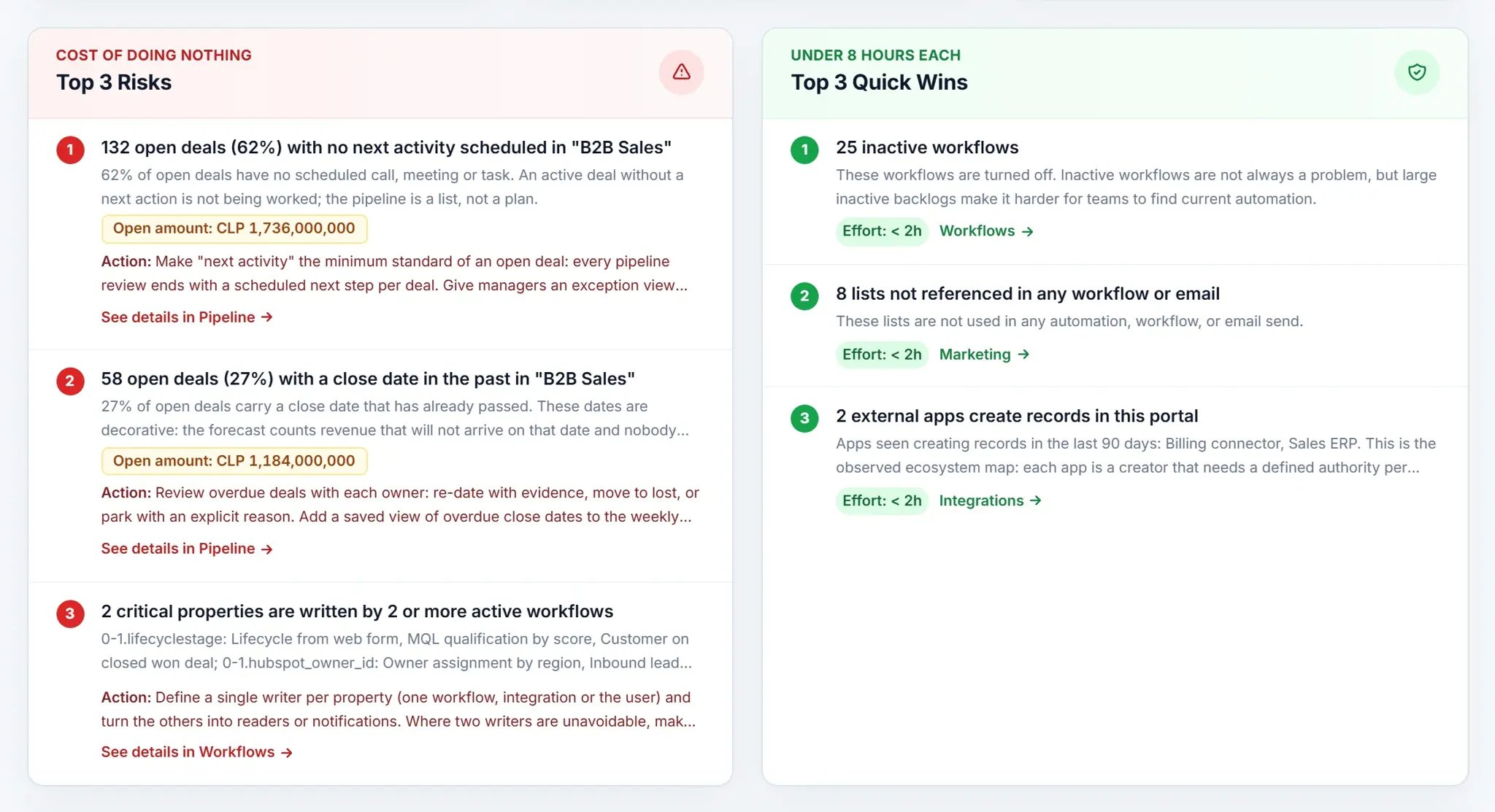
Why review workflows that move stages or close deals?
Moving a deal to another stage, or closing it after a delay, is a business judgment. When a workflow does it, the pipeline stops reflecting what the rep knows.
Use workflows to alert the owner and the manager, not to decide for them.
What is the risk of creating records with re-enrollment on?
A workflow that creates deals or tickets and allows re-enrollment can create the same record every time the trigger repeats.
Check every workflow that creates records and confirm re-enrollment is off, or that there is a documented reason for it.
How do you audit your workflows in seven steps?
- List every workflowWith status, owner, object, enrollments and errors.
- Flag the forgotten onesActive with no recent enrollments.
- Check recurring errorsIn the action history.
- Map who writes each critical propertyOwner, lifecycle stage and deal stage.
- Find the ones that move stages or create recordsAnd check their re-enrollment.
- Review broad triggersSuch as “contact is created” with no filter.
- Decide and documentKeep, improve, consolidate, phase out (turn off) or review for archive, after checking dependencies.
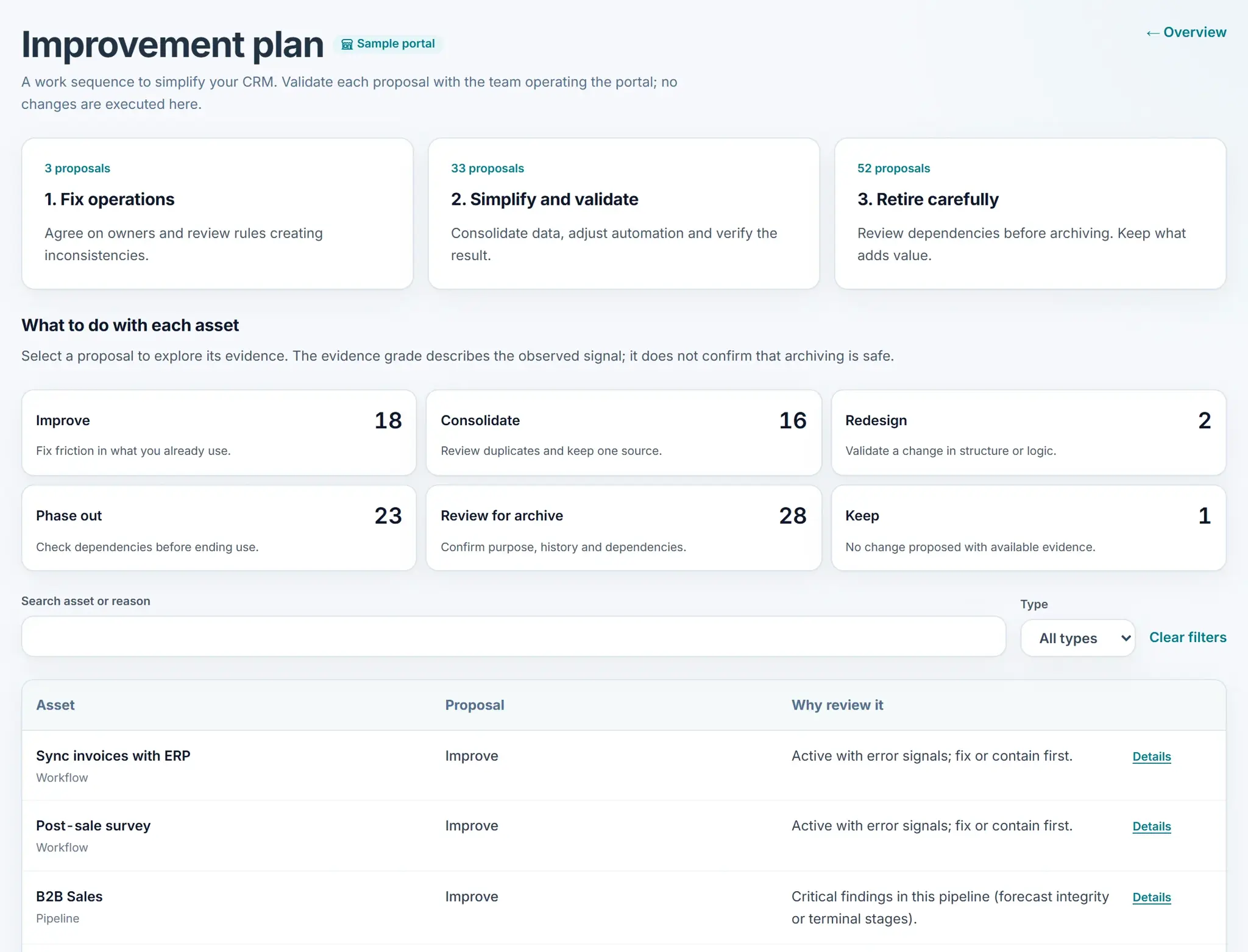
The improvement plan does not recommend deleting: it proposes keep, improve, consolidate, redesign, phase out or review for archive.
What does HubSpot Audit check in your workflows?
HubSpot Audit from Revenue Hub Latam runs these checks in its automation and integrations pillar, which is part of the full audit.
The free version shows a summary of properties, data quality and conversations. The audit checklist shows how workflows fit with the other pillars.